jon_slider
Flashaholic
- Joined
- Mar 31, 2015
- Messages
- 6,823
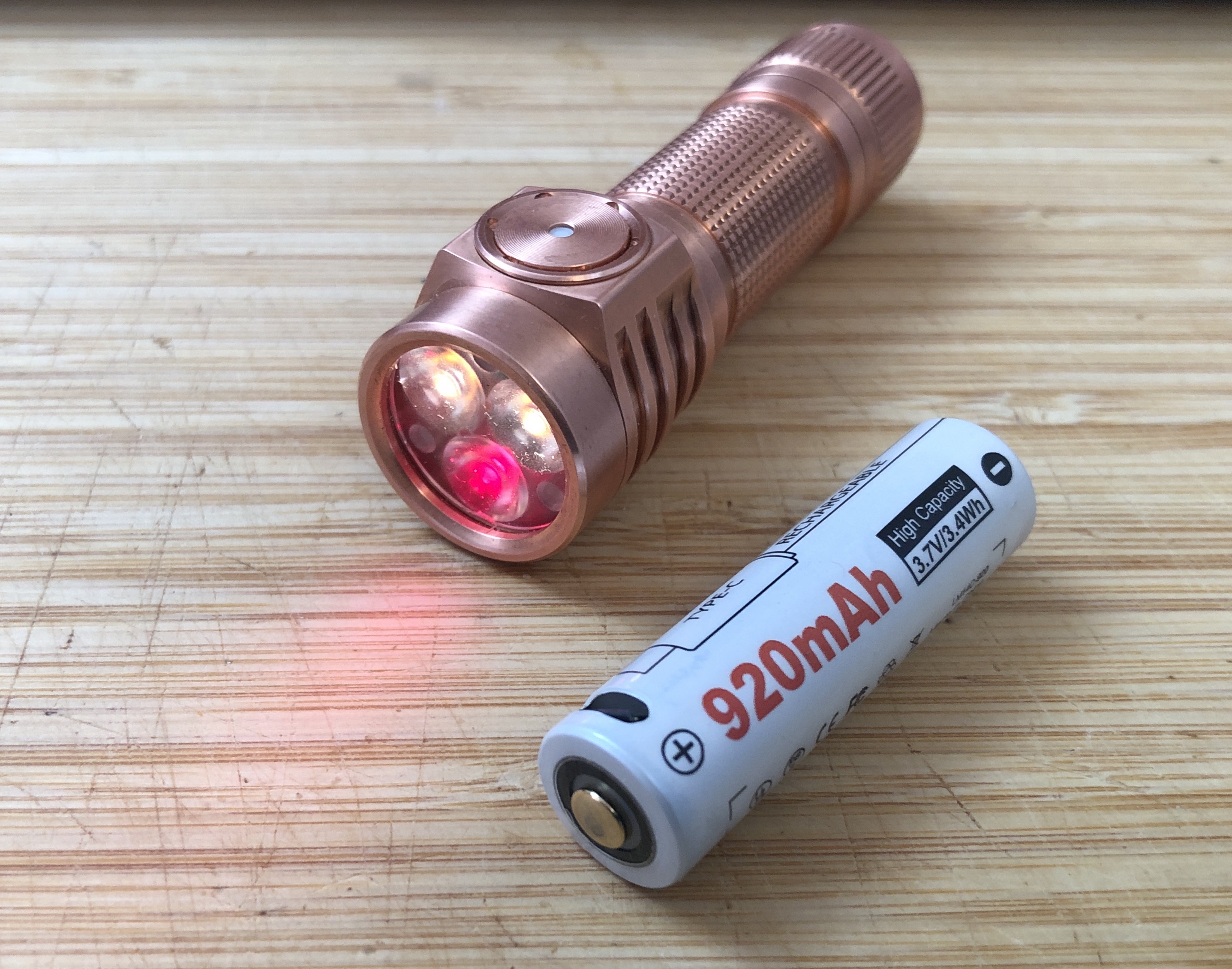
Just received my new Dual Channel Copper Emisar D3AA with 2x NTG35 2700K and 1x 660nm Red.. It is very nice!
Here are a few pics and observations..
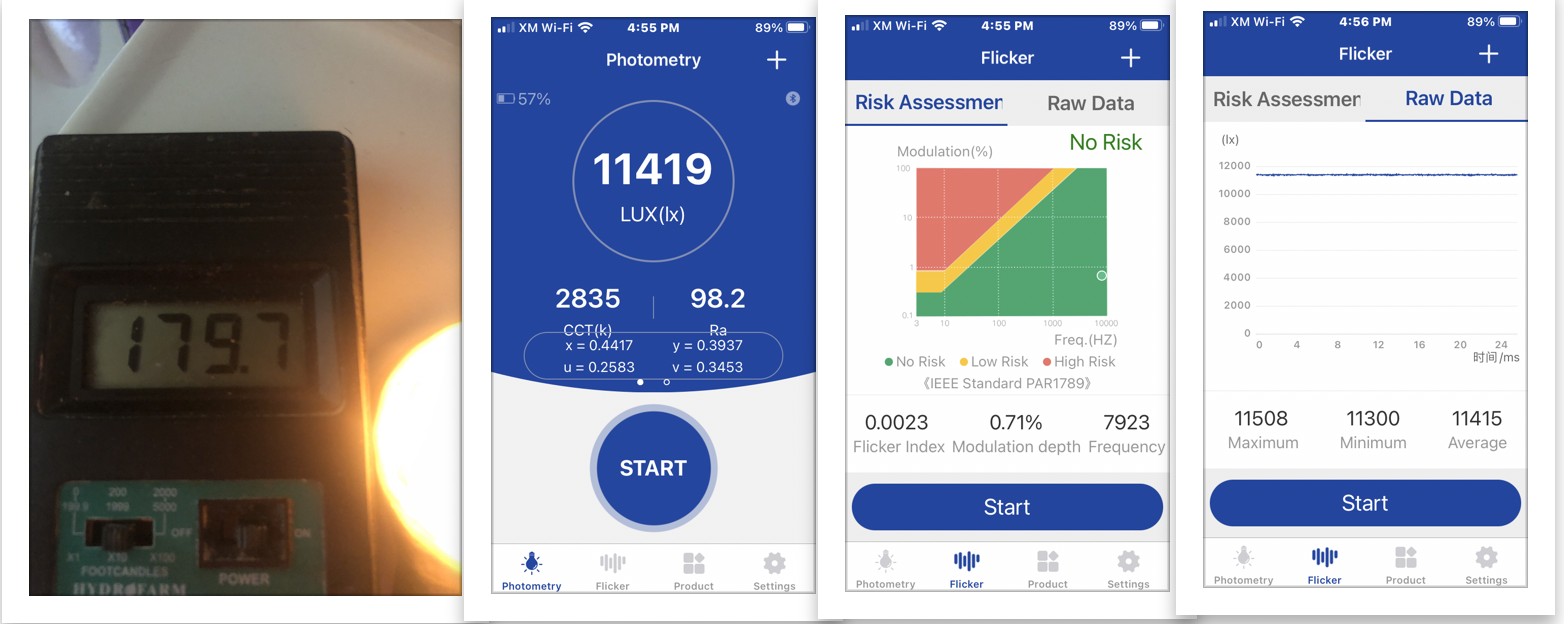
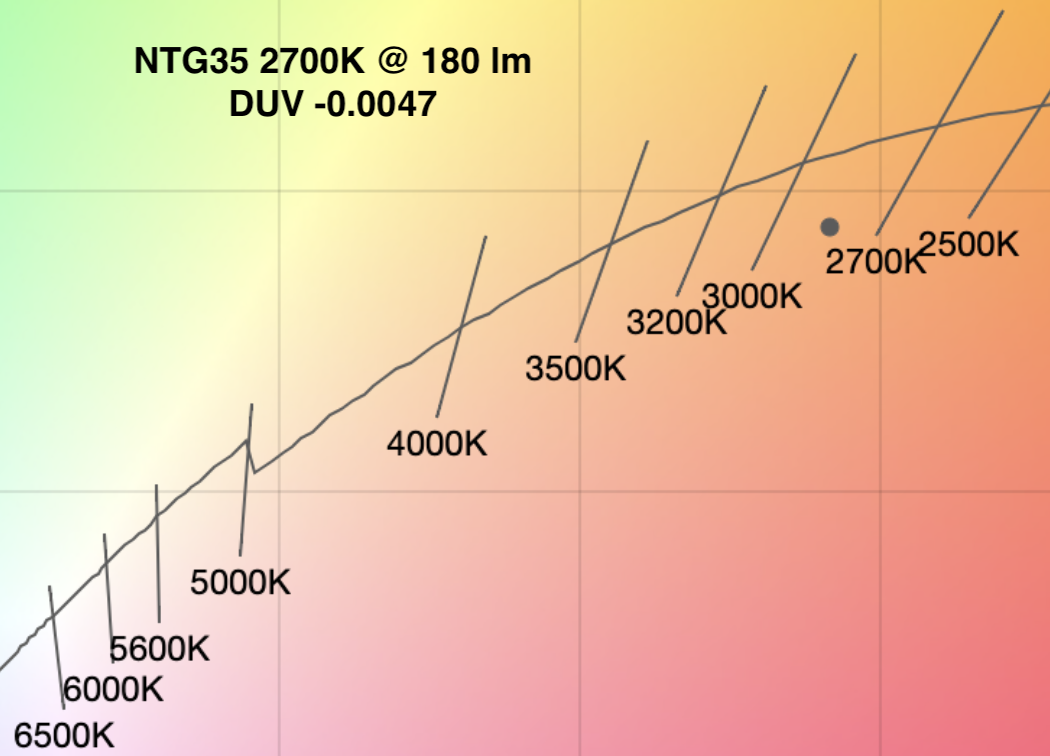
Here is Flicker Index at step 5 of 7 = 180 lm:
The light arrives with the Aux set to rotating colors at High Brightness (not flashing disco).. makes a fun first impression. It is in Advanced UI, Smooth ramping, and starts out with both channels On in channel 4. The first 5 channels are enabled.
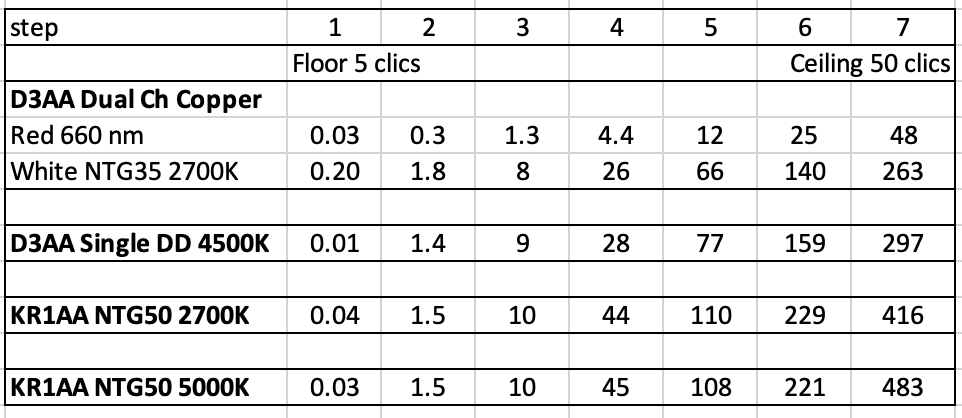
The lowest mode in Channel 1, the two White LEDs is 0.5 lm. Stepped mode level 5 of 7 is 180 lumens
Channel 2, the single Red LED has a lowest mode of 0.05 lm. Stepped mode level 5 of 7 is 28 lumens
After a factory reset the Aux change to Low Brightness, and the light is in Simple UI, Smooth Ramping. Simple UI has 5 stepped modes, Advanced UI has 7 stepped modes.
There is NoPWM at any output.. and the Flicker Index and Lux Riple are extremely low. Im very happy with these features of the Linear Driver.
There is a slight preflash of white, when the light is turned on at low output in channel 5, but not in channel 1 or 2. The preflash is eliminated by disabling Smooth Steps.
The magnet can barely hold the light sideways.. but that does not surprise me, considering the weight of Copper.
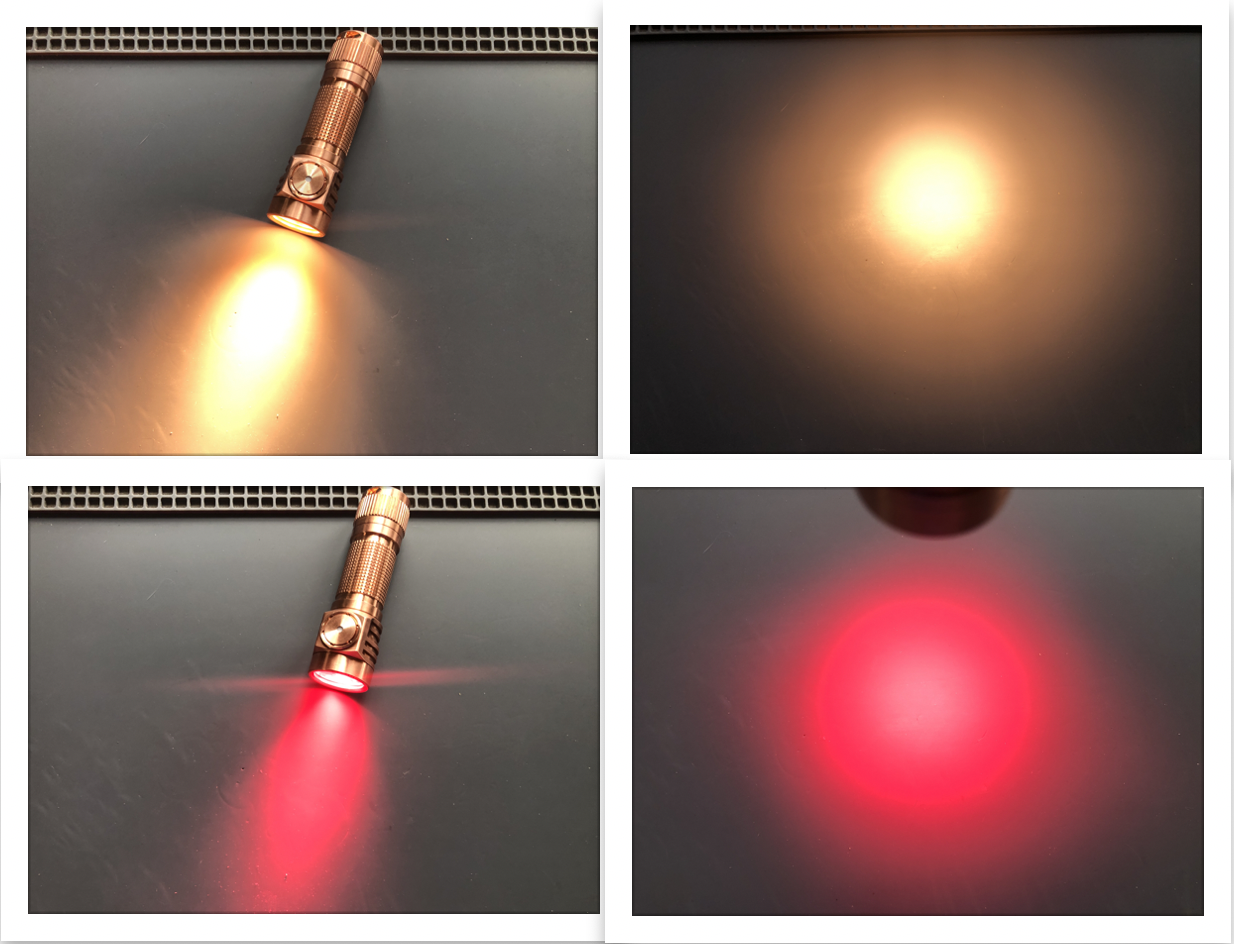
btw, the Red LED produces a Square beam.. Im not too bothered by it, I dont expect perfection from the shared Optic.. still really happy with this light ;-)
Im entertained by the RGB LEDs, including in the button, when Aux are on High Brightness.. I can barely see the Low Brightness Aux, they are Much Dimmer than on my single channel D3AA. Thats OK since I sometimes just turn Aux Off anyway.
The metal button cover looks and feels nice. Im happily surprised to learn the light Does have Physical Lockout at the tailcap.
Firmware is 0135-2023-10-31
====
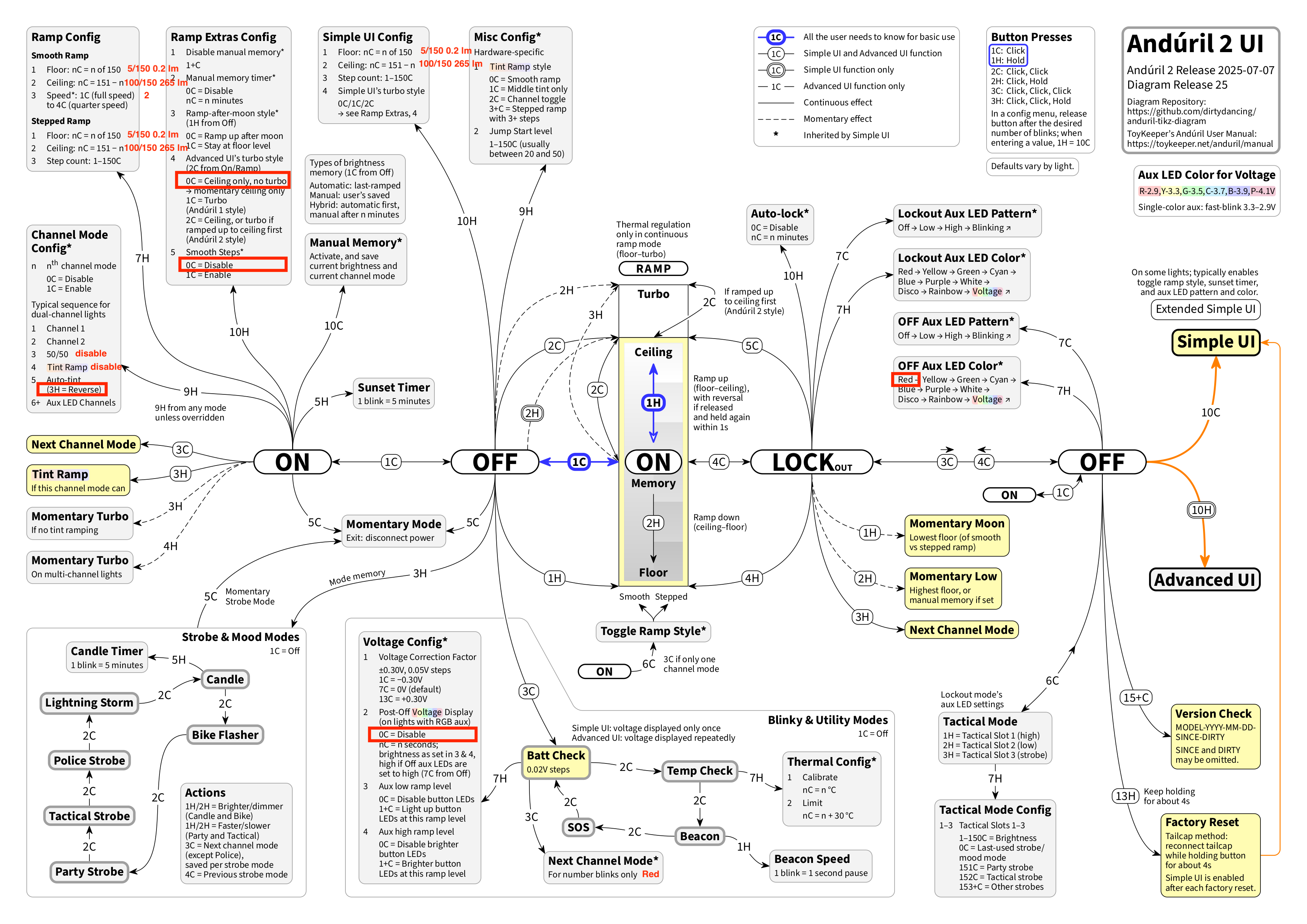
changes Im making to defaults after Factory Reset
My options:
USB-C 14500 is my favorite battery (turbo off):
Here are a few pics and observations..
Here is Flicker Index at step 5 of 7 = 180 lm:
The light arrives with the Aux set to rotating colors at High Brightness (not flashing disco).. makes a fun first impression. It is in Advanced UI, Smooth ramping, and starts out with both channels On in channel 4. The first 5 channels are enabled.
The lowest mode in Channel 1, the two White LEDs is 0.5 lm. Stepped mode level 5 of 7 is 180 lumens
Channel 2, the single Red LED has a lowest mode of 0.05 lm. Stepped mode level 5 of 7 is 28 lumens
After a factory reset the Aux change to Low Brightness, and the light is in Simple UI, Smooth Ramping. Simple UI has 5 stepped modes, Advanced UI has 7 stepped modes.
There is NoPWM at any output.. and the Flicker Index and Lux Riple are extremely low. Im very happy with these features of the Linear Driver.
There is a slight preflash of white, when the light is turned on at low output in channel 5, but not in channel 1 or 2. The preflash is eliminated by disabling Smooth Steps.
The magnet can barely hold the light sideways.. but that does not surprise me, considering the weight of Copper.
btw, the Red LED produces a Square beam.. Im not too bothered by it, I dont expect perfection from the shared Optic.. still really happy with this light ;-)
Im entertained by the RGB LEDs, including in the button, when Aux are on High Brightness.. I can barely see the Low Brightness Aux, they are Much Dimmer than on my single channel D3AA. Thats OK since I sometimes just turn Aux Off anyway.
The metal button cover looks and feels nice. Im happily surprised to learn the light Does have Physical Lockout at the tailcap.
Firmware is 0135-2023-10-31
====
changes Im making to defaults after Factory Reset
- go back to Advanced
- set batt check blinks to use Red Aux
- change Aux to Red
- disable Turbo
- disable channel 3 and 4
- disable POVD
- disable smooth steps to get rid of the preflash on the mixing channels
- change channel 5 (auto channel mixing) to lead with Red from Low and add white as output increases
- Lowered Ceiling to 100/150 = 265 lm in the white channel 1.
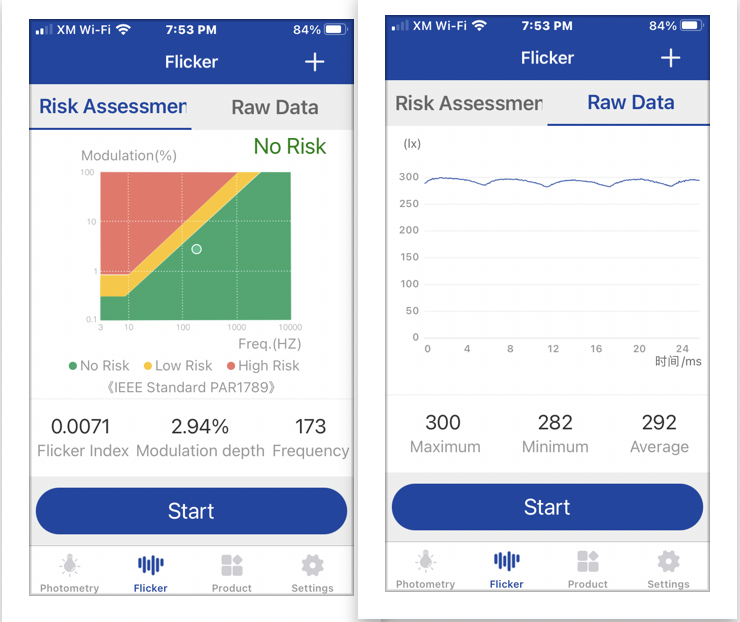
- Lowered floors to 5/150 which gives 0.2 lm white, and 0.02 lm Red. The Flicker Index reports No Risk.
My options:
USB-C 14500 is my favorite battery (turbo off):
Last edited: